Integration to AWS External Key Service (XKS)
Background
AWS XKS (External Key Store) is a feature of AWS Key Management Service (AWS KMS) that allows you to use cryptographic keys stored in an external key management system with AWS KMS. It enables you to maintain control over your keys while leveraging AWS services that integrate with AWS KMS.
Source: AWS KMS XKS Proxy API Specification - Background
Architecture
The Eviden KMS integrates to AWS XKS and proposes a novel architecture (dubbed xksv2) that solves the traditional XKS performance issues without compromising on security.

The Eviden XKSv2 architecture is composed of the following components:
Eviden Confidential KMS
This is the Confidential Key Management System, deployed as IaaS, in the customer AWS tenant. It is responsible for managing the Key Encryption Keys (KEKs) wrapping the XKS keys in AWS KMS and for answering encryption and decryption requests from the AWS KMS.
To protect the KEKs, the Eviden KMS runs inside an Eviden VM on top of confidential computing machines. Eviden VM provides strong security and verifiability guarantees.
The Eviden KMS is deployed in AWS infrastructure, solving the XKS scaling problem, as it benefits from a stable high bandwidth network and can easily scale to reliably support large amount of transactions from the AWS KMS.
The Confidential KMS is available as a ready-to-deploy product from the AWS Marketplace.
HSM
The HSM is responsible for storing the Master keys and securing the Eviden KMS keys. It is deployed in the customer premises or offered as a managed service by Atos. See the HSM integration documentation for more details.
Deployment
-
Deploy a Eviden KMS in your AWS tenant. You can find the product on the AWS Marketplace and follow the deployment instructions in the product documentation.
-
Configure the KMS for use with AWS XKS by filling up the
aws_xks_configsection of the configuration file with the following values:
[aws_xks_config]
# set this to true
aws_xks_enable = true
# this is the region you Eviden KMS is deployed in
aws_xks_region = "us-east-1"
# keep this to this value
aws_xks_service = "xks-kms"
# used for sigv4. The values set here must match the values configured
# when setting up the KMS as an external keystore for AWS KMS (see next step)
aws_xks_sigv4_access_key_id = "AKIAIOSFODNN7EXAMPLE"
aws_xks_sigv4_secret_access_key = "wJalrXUtnFEMI/K7MDENG/bPxRfiCYEXAMPLEKEY"
-
Configure the KMS to act as an External Key Store for AWS KMS. Follow the instructions in the AWS documentation to create an External Key Store.
-
Create an external key in AWS KMS and specify the key store created in the previous step as the key store for the key.
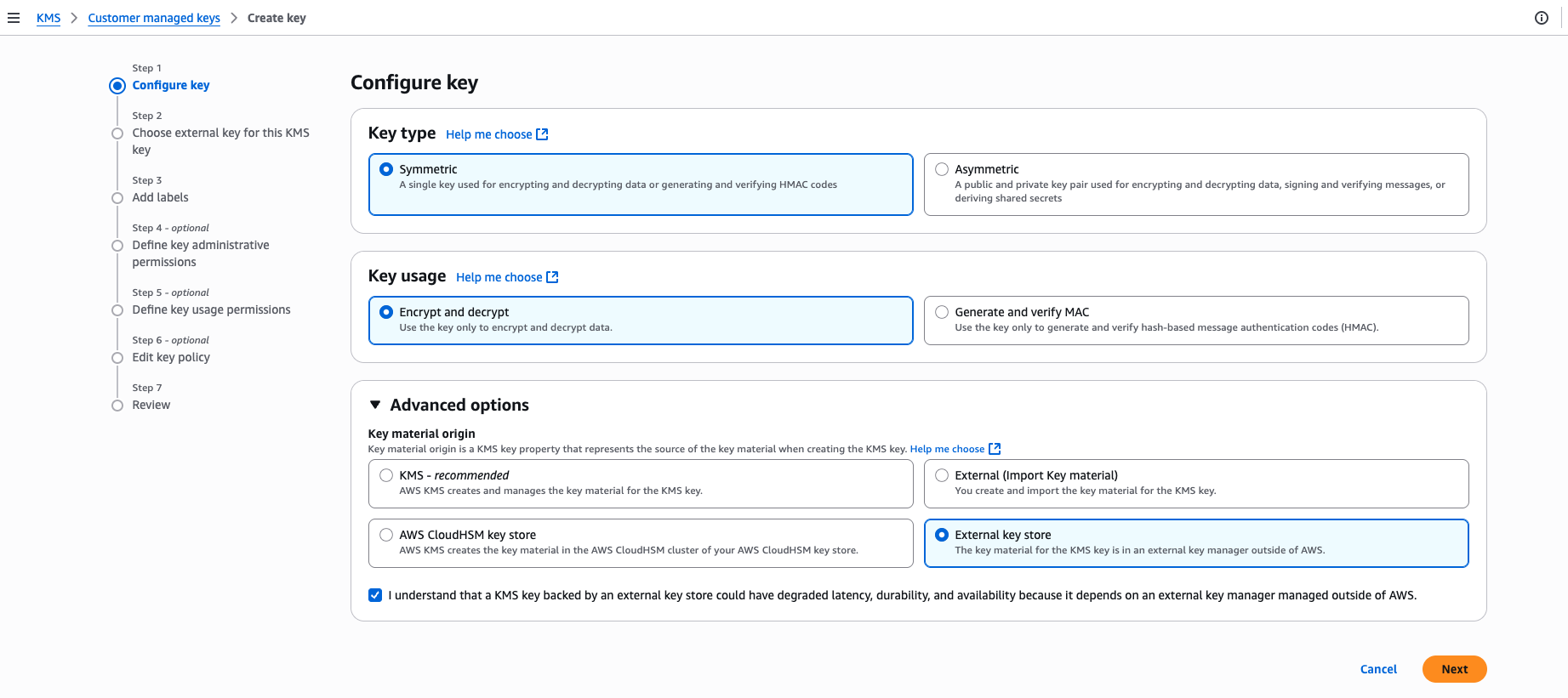
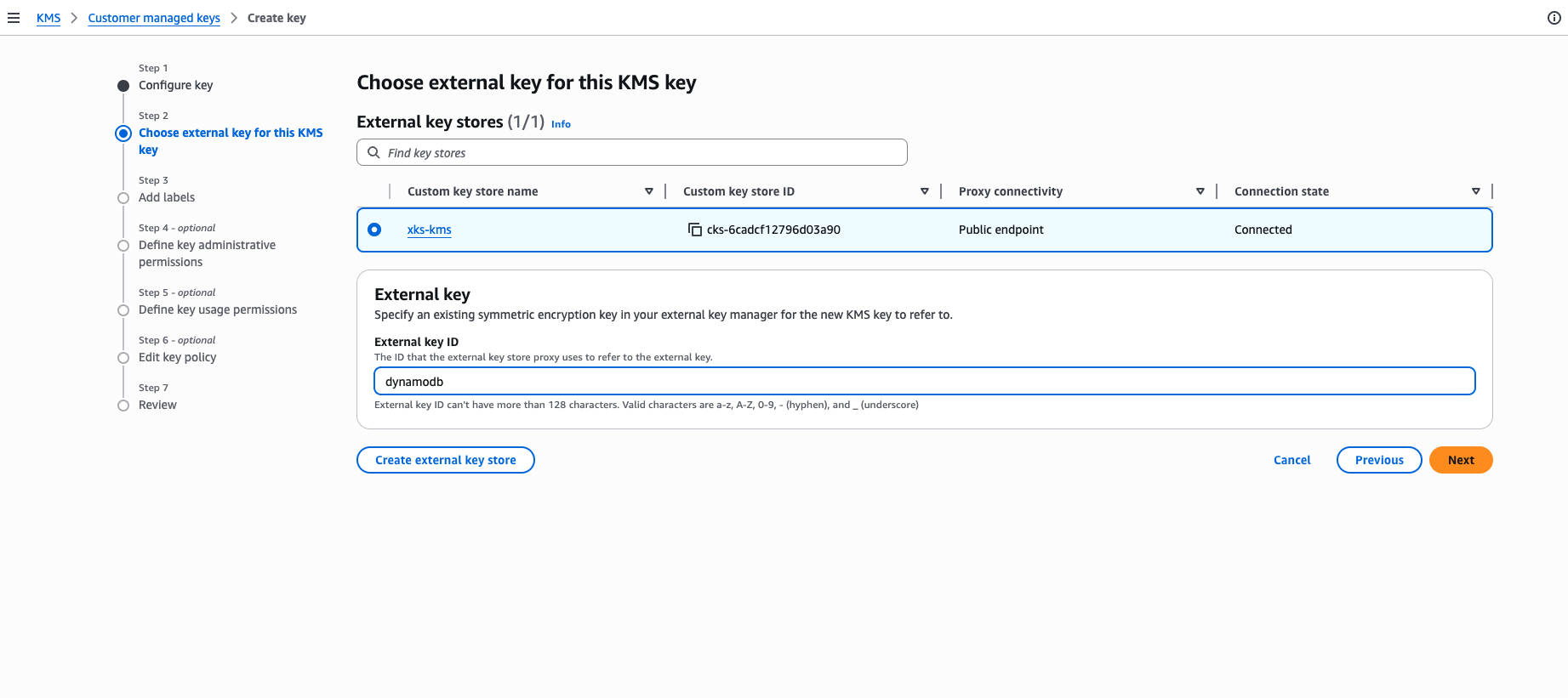
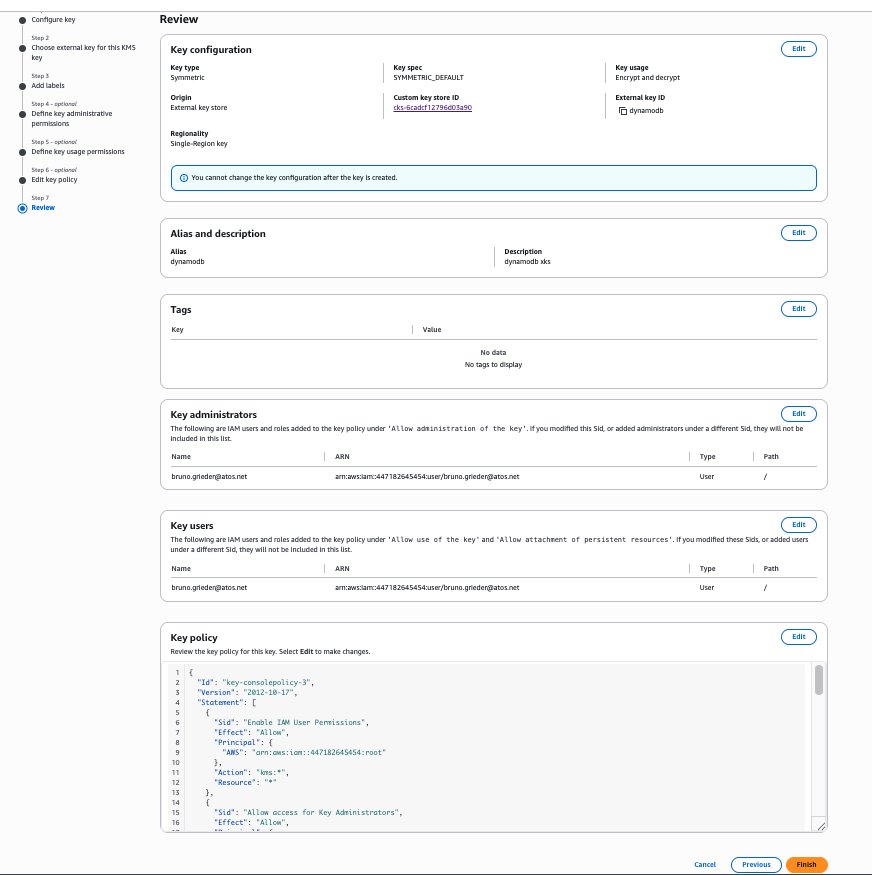
- Enforce the correct permissions for the key on the Eviden KMS.
Make sure the user used by AWS has the permissions for
Encrypt,DecryptandGetAttributes. For instance, when using DynamoDB, the user should be called something likedynamodb.amazonaws.com, for Salesforce, it is the user configured as part of the setup. In doubt, or for testing, grant theses permissions to all users (*).